Running outbound sales operations—whether for your own business or on behalf of a company—requires juggling many moving parts. Your daily workflow typically involves sourcing qualified leads, enriching those contacts, crafting and sending personalized emails at scale, analyzing performance metrics, and more.
Fortunately, a variety of outbound sales tools exist to help automate and simplify these tasks, saving you time and boosting efficiency. In this guide, you’ll discover 12 of the top tools that can help streamline your sales process, along with a clear, practical framework to help you choose the best fit—whether you’re a solo sales rep, a GTM (go-to-market) leader, or a founder.
How I Choose the Top 10 Outbound Sales Tools
With so many outbound sales tools on the market, not all are created equal—especially when it comes to usability and core features. Some specialize in lead generation, others in outreach, while a few offer all-in-one functionality.
Below, I’ve compiled the 10 standout tools for sales pros and GTM teams aiming to attract, engage, and convert qualified leads. I divided them into four key categories and evaluated each tool based on the following criteria:
- Ease of Use: A tool should be intuitive and easy to navigate, whether you’re identifying leads, launching email campaigns, or tracking engagement. The quicker you can get up and running, the better.
- Core Functionality:Each tool on the list was chosen for its strengths in lead sourcing, outreach personalization, or pipeline management—helping you narrow down options based on your specific needs.
- Integrations:Not all tools play well with others. I prioritized platforms that connect seamlessly with your existing tech stack, enabling smooth data flow and a more efficient workflow.
The 10 Best Outbound Sales Tools
Here are the 10 best outbound sales tools you can consider for your cold campaigns.
A. Prospecting and Lead Generation
1. Apollo — For lead generation
Source: Apollo
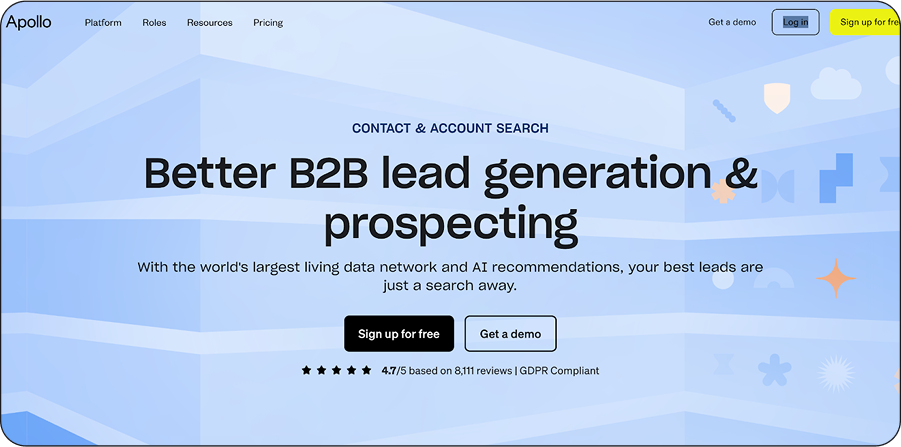
Renowned for its vast database and powerful buying signals, Apollo is an all-in-one solution for finding, engaging, and converting potential buyers. Backed by its advanced search filters, you can input your desired criteria — job title, industry, company size, or revenue — into the database to generate a lead list that matches your ideal customer profile (ICP).
For instance, in the screenshot below, I searched for people with the job title, project managers or manager of operations, in locations like California and New York to build my lead list with the platform.
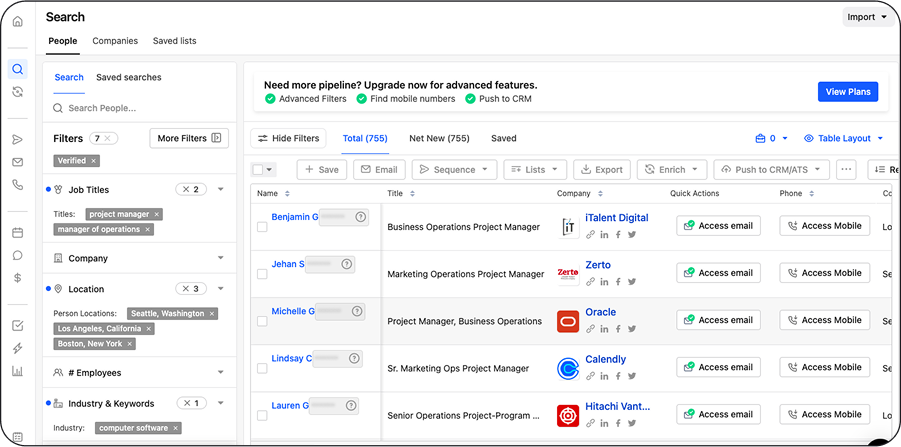
Building a lead list with Apollo
Additionally, the lead generation platform is renowned for its buying signals. By partnering with intent data providers like Bombora and LeadSift, you can get buying signals – website visits, hiring trends, or new funding rounds — that allow you to reach the right prospects with the right message at the right time.
However, the major downside to using the tool is data privacy and security issues. Professional platforms likeLinkedIn have banned the lead generation software for unauthorized data scraping, violating its terms and service. Nonetheless, if you still intend to build a lead list, particularly around US data, Apollo remains your best shot.
Pros
- Easily connect with decision makers that match your ICP
- Obtain high-intent buying signals to prioritize your leads.
- Integrates seamlessly with third-party platforms.
Cons
- The platform’s data is heavily US-centric, with little focus on European, Asia-Pacific, and Latin American markets.
- Faces some data regulation and privacy issues with top professional platforms like LinkedIn.
Pricing
- Apollo offers a free trial with limited credits, but its paid plans start at $59 per month.
2. Ocean.io — For lookalike search
Source: Ocean.io
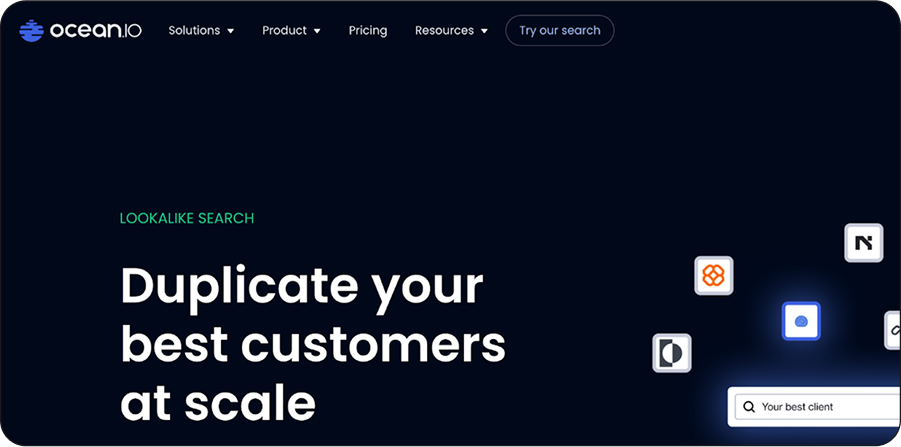
If your goal is to generate leads similar to your existing customers, Ocean is for you. All you need is the URL of your best-fit customer and a detailed understanding of your ICP; then its proprietary AI-driven lookalike search will collect, analyze, and organize people and company data to match your ICP.
With numerous search filters such as job title, industry tags, country location, annual revenue, employee count, or LinkedIn description, you can also refine your search results to create a more targeted and accurate list.
On top of this, you can also integrate its Chrome extension into your web browser for easy data collection and analysis. You don’t have to waste time switching between tabs, but instead, compile all the information you need into one spot for effective prospecting.
Pros
- Perfect for finding leads similar to your ICP or existing customers.
- It’s GDPR compliant, so you don’t have to worry about data regulation and privacy issues.
Cons
- As of the time of this writing, the software doesn’t integrate with third-party platforms, causing friction during data transfer.
Pricing
- Ocean offers a free trial with limited credits, but its paid plan starts at $79 per month.
3. Expandi — To generate leads on LinkedIn
Source: Expandi
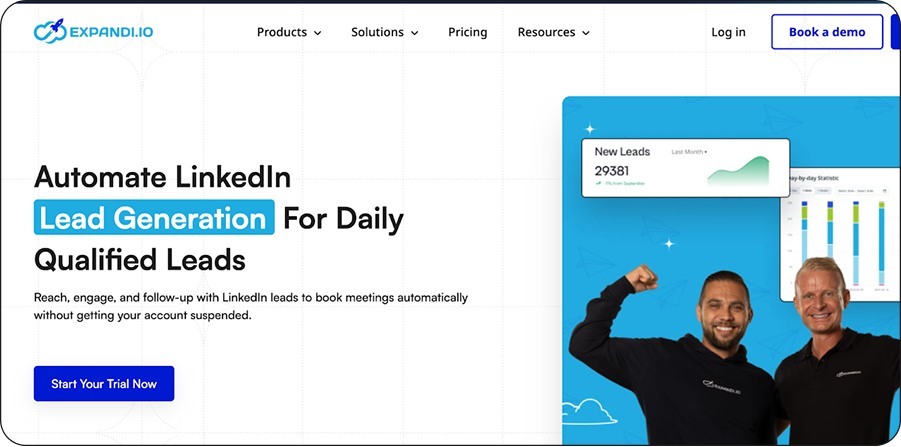
Sure, many outbound sales software programs can help you generate leads. But Expandi is one of the best lead generation tools built specifically for LinkedIn. Its sole focus is on LinkedIn, so if you’re looking to find quality leads on LinkedIn without having your account suspended, you should check out Expandi.
Unlike other tools, Expandi prioritizes safety. You can set up random delays between actions so that your automation can mimic human behavior during your LinkedIn lead generation campaigns. It’s like having a tool that automates your LinkedIn actions, but with precautions.
But beware, everything you do with Expandi is at your own risk. But if you use the platform cautiously, you can harness its full potential.
Pros
- Ideal for automating LinkedIn lead generation campaigns.
- Mimics human behavior to avoid serious penalties like account suspension.
Cons
- Without precautions, you can violate LinkedIn’s terms and service, affecting your account.
Pricing
- Expandi offers a 7-day free trial, but its paid plans start at $99 per month.
B. Email outreach and automation
4. Prospeo — For email finding and verification
Source: Prospeo
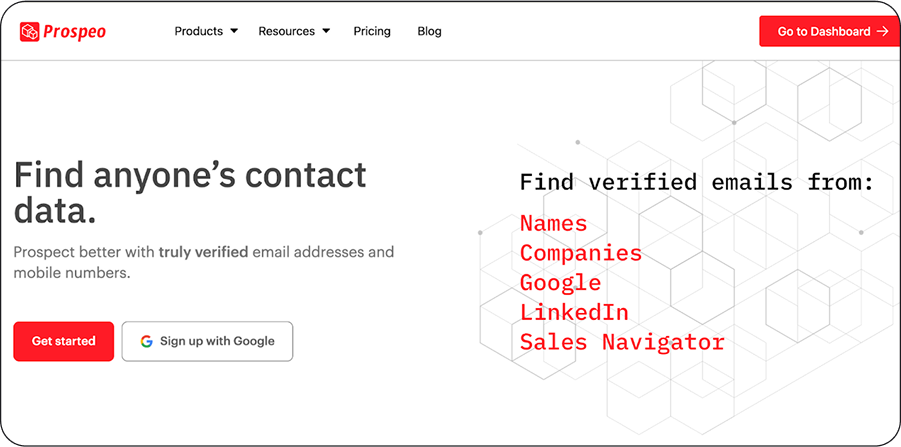
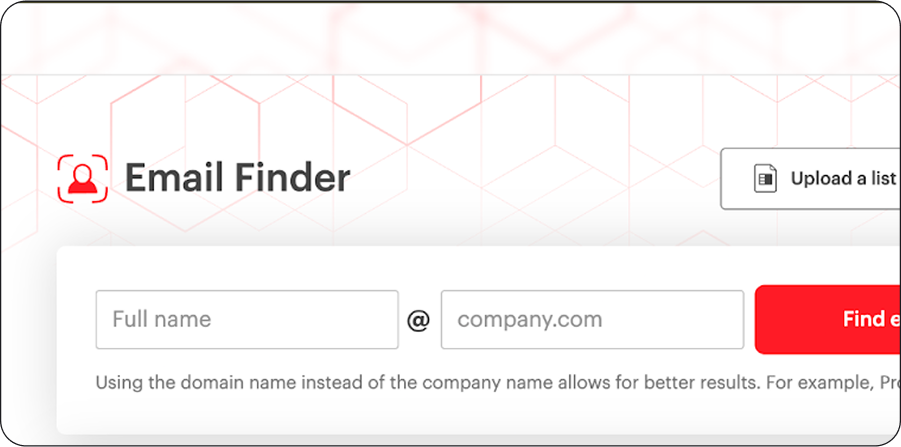
Building an email outreach sequence without a valid email address is a waste of time and effort. That’s why I recommended Prospeo as the first email outreach tool in this section. The email finding and verification tool enables you to locate anyone’s contact information, whether it’s a valid email address or phone number, ultimately allowing you to send a personalized cold email.
As long as you have the prospect’s first or last name and company domain, you can find their verified contact information. All you need to do is input the details in the search bar as displayed in the screenshot below.
You can also perform bulk email verification to find prospects’ valid contact information at once, rather than searching for it one by one. Unfortunately, this feature isn’t available with the free plan, so you will need to upgrade to the paid version. Plus, if you don’t want to use the web app, you can opt for its Chrome extension to extract information from a company’s website, LinkedIn, or Sales Navigator.
Pros
- A user-friendly interface that is quick to adopt.
- Find valid email addresses to scale your cold email outreach.
Con
- Unused credits don’t roll over to the next month.
Pricing
- Prospeo offers a free trial with limited credits, but its paid plan starts at $39 per month.
5. Clay — For personalized sequences and automation
Source: Clay
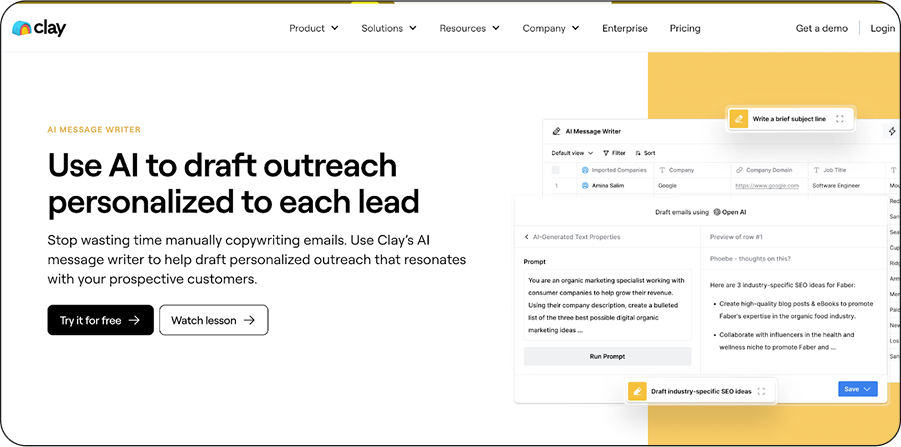
Primarily known for its waterfall enrichment feature, Clay is also effective for email outreach and automation. To use the outbound sales software for email outreach, you must implement a three-pronged approach.
First, conduct customer research with over 100 data providers to fully understand your prospect. Next, leverage the information gained from the research to craft personalized outreach messages with Clay’s AI message writer.
The platform grants access to other AI copywriting tools, such as Twain, ChatGPT, Perplexity, Gemini, or Mistral, to customize your messages with elements like texts, avatars, images, or videos. This saves time, so you don’t have to engage with the manual approach. If you don’t want to use an AI tool, you can access templates from Clay’s library to generate a message.
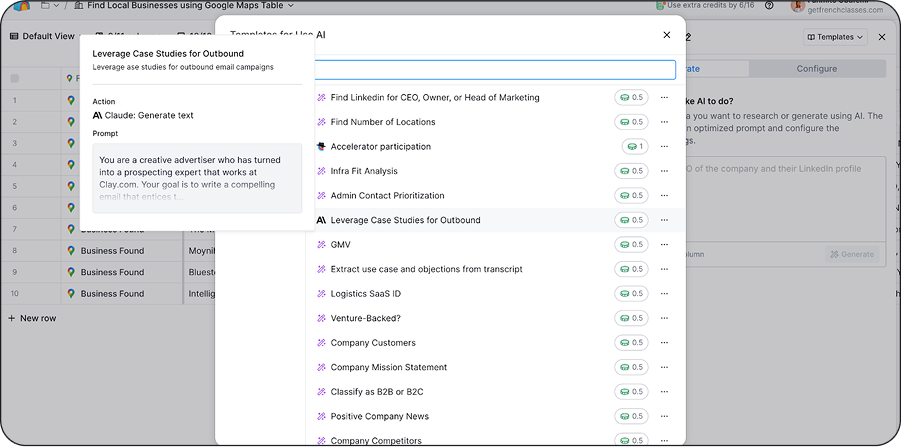
Using Clay’s email templates for personalized outreach
Finally, send the message to a cold outreach tool like Smartlead or Instantly to deliver at scale to your prospects. With this simplified approach, your email outreach is all set and ready to engage your audience.
Pros
- Clay is flexible and can be used for multiple use cases such as waterfall enrichment, list building, or personalized copywriting.
- It integrates with several third-party platforms, streamlining your workflow and driving more efficiency.
Cons
- Clay operates a credit-based pricing model, which can get exhausted easily if it’s not used correctly.
- Some advanced features require a technical background.
Pricing
- Similar to other tools, Clay offers a free trial with limited credits. But, its paid plans start at $149 per month.
6. Instantly — For email outreach and deliverability
Source: Instantly
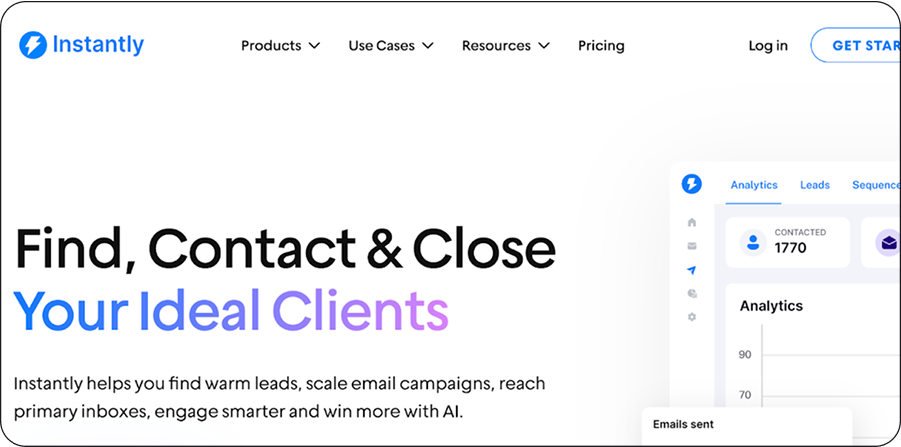
It’s not all email outreach tools that ensure deliverability. However, Instantly is an exception. The multifaceted tool helps sales teams craft personalized emails and land them in their prospect’s inbox, not the spam folder. Thanks to its AI-powered assistant, you can use custom variables to craft personalized messages to engage your prospects. If you want more options, its customizable templates are available for use.
Without a doubt, Instantly’s email deliverability feature makes it stand out from other tools. You can create unlimited email accounts on the platform and rotate the sending process in a human-like manner to protect the sender’s reputation.
For context, you can send up to 250 emails from each account. So, if you have 8 accounts, you’d be sending about 2000 emails daily. The more email accounts you add, the more emails you can send. As you automate this process, you can focus on what matters most — selling.
Pros
- Perfect for sending large volumes of emails at once.
- G2 reviewers report an intuitive interface that’s easy to use and saves time when running multiple campaigns.
Cons
- Limited integrations with third-party software can hinder smooth sales operations.
Pricing
- Instantly’s paid plans start at $37 per month.
C. Cold calling software
8. Full Enrich — Contact Enrichment for Cold Calling
Source: Full Enrich
FullEnrich is a modern contact enrichment tool designed to help sales professionals, marketers, and GTM teams instantly uncover accurate contact information from LinkedIn and other sources. Whether you’re looking to find verified emails, phone numbers, or company data, FullEnrich simplifies the process by offering a fast, reliable, and user-friendly platform.
At its core, FullEnrich acts as a data enrichment layer that integrates seamlessly into your existing sales workflow—supporting CSV uploads, LinkedIn Sales Navigator exports, and native CRM connections. It’s particularly well-suited for cold outreach and lead generation workflows where data accuracy and speed matter.
Pros
- User-friendly interface makes enrichment easy and quick.
- High data accuracy, leveraging over 15 data sources for reliable contacts.
- Strong support options included—even premium support in higher plans.
- Robust integrations with CRMs (HubSpot, Salesforce, Pipedrive), Zapier, Clay, and more.
Cons
- Performance issues: some users cite slow enrichment and difficulty with filters and LinkedIn integration.
Pricing
- Free Trial: 50 credits
- Starter: $29/month — 500 credits (2,000 Sales Navigator exports, waterfall enrichment, CSV upload, triple email verification, rollover credits up to 3 months)
- Pro: $55/month — 1,000 credits, unlimited LinkedIn exports, priority support
9. Crono — AI-Powered Multichannel Outbound Platform
Source: Crono.one
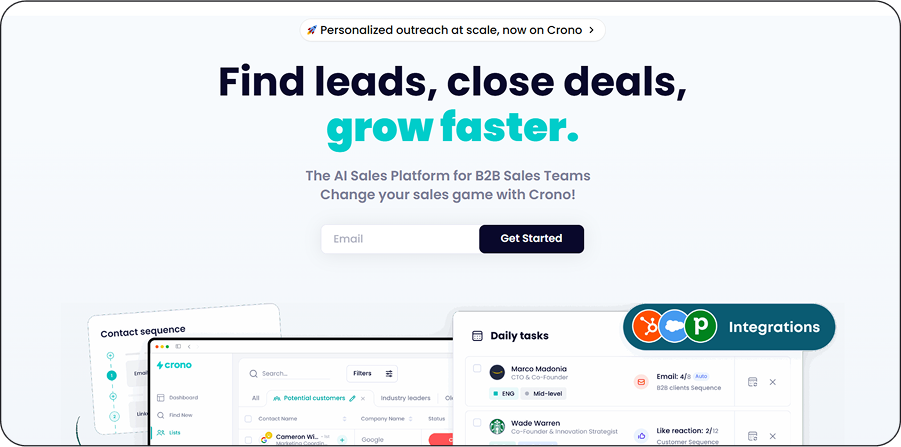
Crono is an AI-powered, all-in-one outbound sales platform built for modern B2B sales teams. It optimizes the entire outbound workflow—prospecting, data enrichment, multichannel outreach (email, LinkedIn, calls), CRM integration, automation, and performance analytics—all within a unified interface.
Pros
- Ideal for running multichannel outreach at scale—email, LinkedIn, and phone sequences in one platform.
- AI-powered personalization helps automate and tailor messaging without sacrificing relevance.
- Users on G2 and other platforms note a clean, intuitive UI that makes campaign setup fast and efficient.
Cons
- Learning curve for users unfamiliar with end-to-end automation or multichannel workflows.
Pricing
- Crono’s paid plans start at $75 per month.
D. CRM and pipeline management
10. Attio — Sales CRM
Source: Attio
Want a traditional CRM for your sales team? Attio is your best bet. Unlike other CRMs, the sales CRM combines traditional prospecting (cold emailing and calling) with social selling (LinkedIn, Telegram, and WhatsApp) to close deals.
What this means is you don’t have to only focus on emails; you can also engage with leads on LinkedIn or any other channel from a single platform. You can chat with prospects, automate workflows, and manage leads to build relationships and ultimately convert prospects.
Pros
- Offers a clean, Notion-style UI that’s highly intuitive and quick to adopt—ideal for visual thinkers and teams switching from spreadsheets.
- Highly customizable CRM structure, allowing you to create custom fields, deal pipelines, and workflows tailored to your exact process.
- Excellent for team collaboration: centralized communication, commenting, task assignments, and automatic email and calendar sync.
Cons
- Limited native integrations; many users rely on Zapier for broader tool connectivity, which adds complexity and cost.
- Feature maturity gaps: advanced reporting, mobile app functionality, and complex task automations are still catching up.
- Unique data model: Users accustomed to traditional CRMs may find Attio’s object-based logic unfamiliar or unconventional.
Pricing
- Free: $0/month — up to 3 users; includes basic CRM, real‑time contact syncing, automatic enrichment.
- Plus: Around $29–34/user/month (annual vs. monthly billing) — unlimited seats, enhanced enrichment, more workflow credits, improved email/collaboration features.
- Pro: Around $59 (annual) / $69 (monthly)/user — includes advanced permissions, call intelligence, priority support, extended workflow credits.
How to Select the Right Outbound Sales Software for Your Business
Key Considerations When Choosing Outbound Sales Tools
With a wide range of outbound sales tools available, finding the right solution can feel overwhelming. Here are some key considerations to help you make an informed decision:
- Pinpoint Your Challenges: Start by identifying the specific areas in your sales process that need improvement. Are you spending too much time on manual tasks? Do you struggle to send personalized outreach at scale? Understanding your bottlenecks will guide you toward the best tool for the job.
- Set Clear Objectives: Think about what you want to accomplish with the software. Are you looking to boost engagement, save time, or increase your sales pipeline? Defining your goals will help you stay focused during the selection process.
- Assess Core Features: Look for software that includes essential capabilities such as automated outreach, lead tracking, CRM integration, and performance analytics. These features are crucial for optimizing and managing your outbound strategy efficiently.
- Prioritize Ease of Use: Choose a tool that’s simple to understand and easy to onboard. A user-friendly interface helps your team adopt the platform quickly without a steep learning curve.
- Review Pricing Models: Make sure the cost structure—whether monthly subscription, per-user fee, or credit-based—is aligned with your budget. Check for any hidden charges or limitations that might affect your long-term ROI.
Frequently Asked Questions About Outbound Sales Tools
1. What is outbound sales?
Outbound sales refers to a strategy where sales representatives reach out to potential customers proactively, typically via cold emails, phone calls, or social outreach, rather than waiting for prospects to contact them first.
2. What does outbound sales software do?
Outbound sales software helps sales teams identify, reach out to, and manage relationships with potential buyers who haven’t yet shown interest. These tools support functions like lead discovery, contact enrichment, outreach automation, and pipeline tracking to accelerate deal flow.
3. Why use outbound sales tools?
These tools can greatly improve your workflow by automating manual tasks, increasing lead accuracy, enhancing engagement through personalization, and offering insights that help guide smarter decisions.
4. What are the categories of outbound sales tools?
- Lead generation & prospecting tools
- Sales engagement platforms
- Email outreach & automation tools
- CRM systems for managing relationships and pipelines


Paolo Lipari
Founder & CEO of OutboundHub
CEO @ OutboundHub I Helping Italian B2B SaaS Companies Scale with Enterprise SDR Teams | Cold Calling Advocate, 100% Italian Talent I Building Italy’s n.1 remote SDR agency in public IT